

Gemini started building fully native, fully editable Google Slides decks from a single prompt on June 29, 2026 — no more pasting in a clunky embedded object you can’t touch. That rollout, plus Microsoft quietly splitting “Copilot in PowerPoint” off into its own $19.99/month tier this year, is the clearest sign yet that AI slide generation has stopped being a novelty add-on and become table stakes for the two biggest office suites on Earth. It’s also exactly the kind of change that makes last year’s “best AI presentation tool” roundups outdated.
This guide ranks the 10 AI tools actually worth using to build a presentation in 2026 — dedicated AI-first apps like Gamma and Presentations.AI, plus the AI now built into Google Slides, Microsoft PowerPoint, and Canva — with real pricing, what each one is actually good at, and where the free tier quietly runs out.
A note on Tome: if you’ve seen Tome recommended in older “best AI presentation tools” roundups, it’s worth knowing it’s no longer one — the original Tome (tome.app) has pivoted entirely to B2B sales intelligence, and its sign-up flow for presentations no longer works. Sites claiming to be a “Tome AI” relaunch (tomeapp.ai and similar) are unrelated, unverified copycats capitalizing on the name — we’re not recommending them here.

This page covers: the 10 best AI presentation/slide-deck generation tools in 2026 — Gamma, Google Gemini in Slides, Microsoft Copilot in PowerPoint, Canva Magic Design, Beautiful.ai, Presentations.AI, Prezi AI, Plus AI, Decktopus, and SlidesAI — plus 2 bonus picks (Pitch, Chronicle) — with exact pricing (INR where applicable), what each is best at, and their real limits.
This page does not cover: general AI productivity tool roundups (see AI Tools for Small Business 2026) or AI design tools outside presentations, like logo makers (see Best AI Logo Makers in 2026).
Jump to a Section
The 10 tools, ranked
- Gamma — best overall, most flexible output (decks, docs, websites, one tool)
- Google Gemini in Slides — best if you already live in Google Workspace
- Microsoft Copilot in PowerPoint — best if you already live in Microsoft 365
- Canva Magic Design — best for teams that need brand-consistent, design-heavy decks
- Beautiful.ai — best “smart layout” tool that auto-fixes bad slide design
- Presentations.AI — best for brand-focused, corporate/business decks
- Prezi AI — best for zooming, motion-heavy, non-linear presentations
- Plus AI — best for teams who want AI without leaving Slides/PowerPoint
- Decktopus — best budget pick with a genuinely useful delivery coach
- SlidesAI — cheapest way to get AI-generated slides, now with a standalone app too, students/light use
Full pricing comparison table
All USD prices converted at the live mid-market rate of ₹95.49/$1 (Wise, checked August 27, 2026). Native INR prices are shown where the company publishes them directly.
| Tool | Free tier | Cheapest paid plan | Mid tier | Top individual tier |
|---|---|---|---|---|
| Gamma | 400 one-time AI credits | Plus — ₹764–955/mo ($8–10) | Pro — ₹1,432–1,910/mo ($15–20) | Ultra — ₹3,724–9,549/mo ($39–100) |
| Google Gemini in Slides | Limited, capped daily use | — | Google AI Pro — ₹1,950/mo | Google AI Ultra — ₹6,500/mo |
| Microsoft Copilot in PowerPoint | None (Copilot Chat only) | M365 Personal — ₹689/mo (no deck generation) | M365 Premium — ₹1,999/mo (deck generation included) | — |
| Canva Magic Design | 20 premium AI uses | Pro — ₹333/mo (₹4,000/yr) | Business — ₹567/mo (₹6,800/yr/person) | Enterprise — custom |
| Beautiful.ai | 14-day trial only | Pro — ₹1,385/mo ($14.50 annual) | Team — ₹3,820/user/mo ($40 annual) | Enterprise — custom |
| Presentations.AI | 100 AI credits | Pro — ₹1,910/mo ($20 annual) | — | Gold — ₹9,549/mo ($100 annual) |
| Prezi AI | Yes, public decks only | Standard — ₹668/mo ($7, 500 AI credits) | Plus — ₹1,814/mo ($19, unlimited AI) | Premium — ₹2,769/mo ($29) |
| Plus AI | 7-day trial, 1,000 credits | Basic — ₹955/mo ($10 annual) | Pro — ₹1,910/mo ($20 annual) | Max — ₹19,098/mo ($200 annual) |
| Decktopus | None | Pro — ₹954/mo ($9.99 annual) | — | Business — custom |
| SlidesAI | 12 decks/year | Pro — ₹955/mo ($10) | Premium — ₹1,989/mo ($20.83) | — |
| Pitch (bonus) | 100 one-time credits | Plus — ₹1,112/mo (€10 annual) | Team — ₹1,668/mo (€15 annual) | Business — ₹2,224/mo (€20 annual) |
| Chronicle (bonus) | Up to 10 decks | Pro — ₹1,432/mo ($15 annual) | Plus — ₹2,865/mo ($30 annual) | Max — ₹5,634/mo ($59 annual) |
1. Gamma
Gamma is the closest thing to a category leader here — type a topic or paste in a document, and it structures, writes, and designs an entire deck (or a doc, or a simple website) in one pass. The free tier hands you 400 one-time AI credits, enough for a handful of decks, and the editor stays genuinely pleasant to use by hand afterward.
The catch is the credit system doesn’t reset on the free plan the way it does on paid tiers, and the jump from Plus (₹764–955/mo) to Pro (₹1,432–1,910/mo) is really about unlocking bigger single generations — up to 60 slides in one shot on Pro versus 75 slides per prompt on Plus — plus advanced AI image models and custom fonts. Ultra, at ₹3,724–9,549/mo, is built for teams publishing lots of Gamma-hosted pages under a custom domain, not for a single person making the occasional deck — most individuals will never need it.
Best for: anyone who wants one tool that also doubles as a lightweight doc/webpage builder, not just slides.
2. Google Gemini in Slides
This is the newest entry on this list, and arguably the most consequential. Starting June 29, 2026, Gemini began generating full, multi-slide Google Slides presentations directly inside Slides — every layout is a native, fully editable Slides object, not an embedded image or a locked template. You can point it at files already in your Drive for grounding, and it will match an existing brand template instead of generating from a blank slate.
Here’s the part most coverage on this glossed over: it’s not included in Google’s cheapest paid AI tier. Google AI Plus, at ₹399/month, does not get you Gemini-in-Slides generation — you need Google AI Pro at ₹1,950/month at minimum, or AI Ultra at ₹6,500/month for higher usage caps. If you’re already paying for AI Plus expecting this feature, you’ll hit a wall.
Best for: teams already paying for Google Workspace who don’t want another subscription — as long as they’re on the right Gemini tier.
3. Microsoft Copilot in PowerPoint
Microsoft restructured its consumer AI lineup in 2026, and it changes what you actually need to buy here. Copilot Pro, the old individual SKU, stops working for existing subscribers on August 1, 2026. Its replacement for full “create a presentation from a prompt” functionality in PowerPoint is Microsoft 365 Premium, ₹1,999/month in India (₹19,999/year) — not the cheaper Microsoft 365 Personal plan.
That distinction matters because Personal (₹689/month, up from ₹489 earlier this year) and Family (₹819/month) now advertise “Copilot tools and Microsoft Designer” too — but that’s Copilot Chat and AI image generation bundled in, not the agentic deck-builder inside PowerPoint itself. If your goal is specifically “type a prompt, get a finished deck,” Premium is the plan, not Personal.
Best for: individuals and teams already committed to Microsoft 365 who are fine paying for the Premium tier specifically.
4. Canva Magic Design
Canva needs no introduction to most Indian small businesses and marketers — and its AI slide generation (Magic Design) sits inside the same familiar editor as everything else Canva does. The free plan includes 20 premium AI uses, which covers light experimentation; Pro at ₹4,000/year (~₹333/month) gets 10x that AI allowance plus the full 3.6M+ template and 141M+ premium asset library.
Where Canva pulls ahead of most pure-AI tools on this list is brand consistency at scale — Business (₹6,800/year/person) adds 100 Brand Kits and team-wide asset locking, which matters if five different people are building decks that all need to look like they came from the same company.
Best for: teams that already use Canva for everything else and want presentations to match their existing brand assets without a second tool.
5. Beautiful.ai
Beautiful.ai’s pitch is narrower and, for a specific kind of user, more useful than “generate everything”: its Smart Slides technology auto-adjusts spacing, alignment, and sizing in real time as you edit, so it’s genuinely difficult to make an ugly slide by accident. Pro runs ₹1,385/month billed annually ($14.50), or a flat $45/month if you’d rather not commit annually — unusually flexible for this category.
The AI writing and image generation are solid but not the headline feature here; the layout intelligence is. Team pricing jumps sharply to ₹3,820/user/month ($40 annual), which is steep for small teams compared to Gamma or Canva at similar tiers.
Best for: people who can write decent slide content but consistently make slides that look amateur — this fixes that specific problem.
6. Presentations.AI
Presentations.AI is the closest direct competitor to Gamma on this list, and the one most consistently flagged as a gap in other 2026 roundups — AI-native deck generation with a heavier lean toward corporate brand consistency. The free Starter tier gives you 100 AI credits and up to 20 slides; Pro at ₹1,910/month ($20 annual) jumps to 5,000 credits plus presentation tracking/analytics, high-quality PowerPoint export, and custom brand colors and fonts.
Gold, at ₹9,549/month ($100 annual), is built for teams that want a shared knowledge base feeding every deck’s context plus a “Presentation Refresh” feature to update existing decks rather than starting over — genuinely useful for recurring board or investor updates, overkill for occasional use.
Best for: businesses that need decks to stay visually on-brand across many different people generating them, not just one person’s polish.
7. Prezi AI
Prezi’s whole identity is its zooming, non-linear canvas instead of a slide-by-slide format — genuinely different from every other tool on this list, and worth it specifically if a traditional slide deck feels too rigid for what you’re presenting. Standard, at ₹668/month ($7), includes 500 AI credits; Plus (₹1,814/month, $19) removes the cap entirely with “unlimited Prezi AI.”
The free Basic tier only allows public presentations — fine for practice, not for anything you need to keep private, like an internal strategy deck.
Best for: trainers, educators, and anyone presenting in-person who wants movement and zoom instead of static slide transitions.
8. Plus AI
Plus AI (formerly Plus Docs) takes a different approach entirely — it’s an add-on that generates decks inside Google Slides or PowerPoint itself, rather than a separate app you export from. If your team’s whole workflow already lives in Slides or PowerPoint, that’s a real advantage: no new export step, no formatting breaking on transfer.
Pricing runs on AI credits rather than unlimited generation at every tier: Basic (₹955/month annual, $10) includes 1,500 monthly credits, Pro (₹1,910/month, $20) triples that to 3,000. The Max tier at ₹19,098/month ($200) is built for power users burning through unlimited AI generation daily — most people will never come close to needing it.
Best for: teams who’ve standardized on Google Slides or PowerPoint and don’t want to change tools, just add AI to the one they use.
9. Decktopus
Decktopus undercuts most of this list on price — Pro runs ₹954/month ($9.99) billed annually (or $24.99/month billed monthly) — while still including a feature none of the bigger names on this list have: Loop, a built-in delivery coach that gives AI feedback on your pacing and clarity, and can simulate audience questions before you actually present. It also auto-applies brand styling just from your website URL.
There’s no free tier at all, which is unusual for this category — you’re committing to a paid plan from the start, even to test it properly.
Best for: solo founders and freelancers who need to actually rehearse a pitch, not just build the slides.
10. SlidesAI
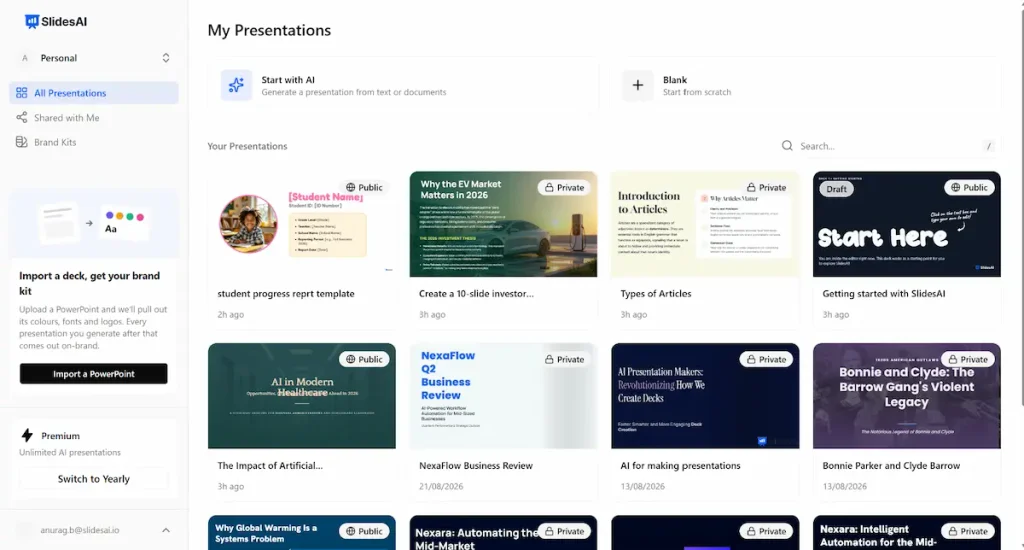
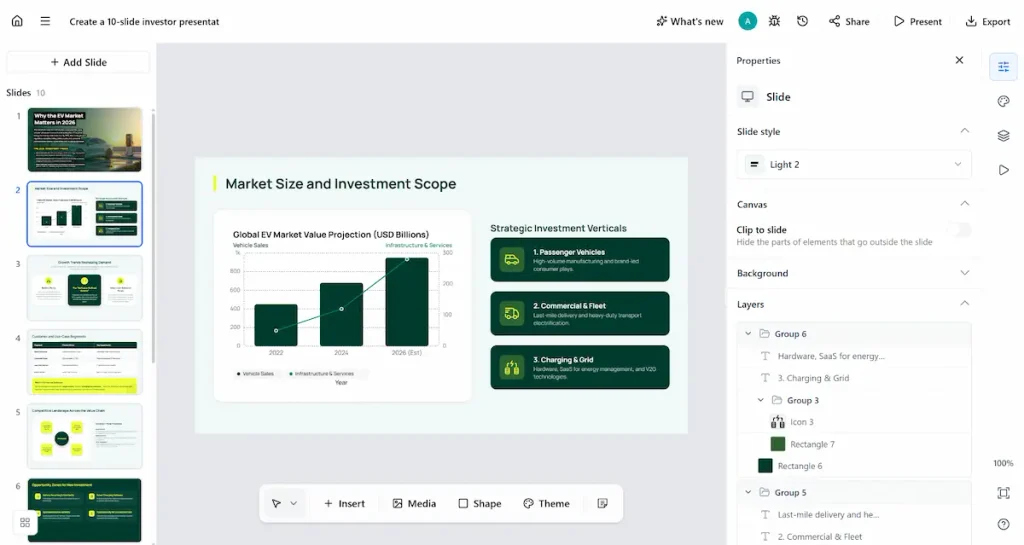
SlidesAI is the budget floor of this list — it started as a Google Slides add-on but has since expanded into a standalone web app, plus a PowerPoint add-in and a ChatGPT integration, with Pro at ₹955/month ($10) explicitly marketed at students. The free tier caps out at 12 presentations a year with a 1,000-character input limit per deck, which is workable for the occasional class assignment but not for regular use.
It won’t compete with Gamma or Presentations.AI on design sophistication — this is a fast, cheap way to get a first draft of slide content and structure, not a polished final deck generator.
Best for: students and anyone making the occasional presentation who doesn’t want to pay ₹1,000+/month for the privilege.
Bonus: 2 More Worth Checking Out
Two more tools came up repeatedly while cross-checking this list against other roundups — both real, both credible, and both distinct enough from the top 10 above to be worth naming separately rather than force-ranked in.
Pitch — priced in euros (Free / Plus €10/mo / Team €15/mo / Business €20/mo, roughly ₹1,112–2,224/month), Pitch leans hardest into team collaboration and sales use — shared pitch rooms, unlimited external guests on the Business tier, and 150+ templates built for fast starts. If your presentations are genuinely collaborative (multiple editors, external stakeholders reviewing drafts) rather than one person building a deck solo, Pitch’s guest-access model is built for that in a way most tools on this list aren’t.
Chronicle — Free / Pro $15/mo / Plus $30/mo / Max $59/mo (₹1,432–5,634/month), Chronicle skews enterprise: design templates built by former Apple, McKinsey, and BCG designers, and a stated focus on board decks and investor updates rather than general-purpose slides. Its “Muse” AI agent (Plus tier and up) handles edits and template generation, not just first-draft generation.
Neither displaces the top 10 above for most readers — Pitch overlaps heavily with Plus AI on team-collaboration use cases, and Chronicle overlaps with Presentations.AI on polish for high-stakes decks — but both are legitimate options if those specific use cases (guest-heavy collaboration, or investor/board-grade design) matter more to you than raw AI generation speed.
🇮🇳 The India angle
🇮🇳 Freelancers and small business owners: the real budget trap here isn’t the sticker price — it’s assuming the cheapest plan of a suite you already pay for includes deck generation. Google AI Plus (₹399/month) and Microsoft 365 Personal (₹689/month) both look like they should cover it and don’t. If you’re on either of those already, Canva Pro (₹333/month) or Decktopus (₹954/month) will actually get you AI-generated decks for less than upgrading your Google or Microsoft plan.
🇮🇳 Students: SlidesAI’s ₹955/month Pro tier (or the free 12-decks-a-year tier for occasional use) is the cheapest real entry point into AI slide generation in this whole list — cheaper than a single upgrade tier on Gamma, Canva, or Prezi.
My take
What we found researching this: the single most useful thing to know before you subscribe to anything here isn’t which tool writes the best slide copy — it’s that both Google and Microsoft, the two platforms most people already pay for, gate their actual “generate a full deck from a prompt” feature behind a specific higher tier, not their cheapest AI add-on. That’s an easy ₹1,300–1,600/month mistake to make if you assume your existing Google AI Plus or Microsoft 365 Personal subscription already covers it. Check the exact tier before you assume, not after you’re billed.
AIInsider Verdict
What we liked: Gamma remains the most flexible single tool for most people — it’s not tied to an office suite, works for decks and quick docs alike, and its free tier is genuinely usable before you pay anything. Google’s new native Slides generation is a legitimately big step forward for anyone who already lives in Workspace.
What holds it back: pricing across this entire category is inconsistent and credit-based in a way that makes real costs hard to predict upfront — “unlimited AI” on one tool’s mid-plan is a hard credit cap on another’s identically-priced plan. Nobody in this list has a genuinely good free tier for regular, ongoing use; every one of them wants you paying within a few decks.
Our recommendation: if you want one dedicated tool and don’t care which office suite it plugs into, start with Gamma’s free tier, then upgrade to Plus (₹764–955/month) the moment you need more than 10 slides per prompt. If you’re already paying for Google Workspace or Microsoft 365, check your exact plan tier against the table above before buying anything new — you may already be one upgrade away from Gemini-in-Slides or Copilot-in-PowerPoint rather than needing a whole new subscription.
Quick Answers
Is there a genuinely free AI presentation maker?
Gamma’s free tier (400 one-time AI credits) is the most usable free option on this list for a handful of decks. Canva’s free tier also includes 20 premium AI uses. Nothing on this list offers unlimited free AI generation long-term.
Does Google AI Plus (₹399/month) include Gemini’s Slides generation?
No. As of August 2026, generating full decks with Gemini inside Google Slides requires Google AI Pro (₹1,950/month) or AI Ultra (₹6,500/month) — the cheaper AI Plus tier doesn’t include it.
What replaced Microsoft Copilot Pro?
Microsoft 365 Premium (₹1,999/month in India). Existing Copilot Pro subscriptions stop working August 1, 2026.
Which AI presentation tool is best for pitch decks specifically?
Presentations.AI for brand-consistent business/investor decks, or Decktopus for its built-in Loop delivery coach that gives feedback on pacing before you present.
Is Tome still a good AI presentation tool in 2026?
No — the original Tome (tome.app) has pivoted away from presentations into B2B sales intelligence, and its presentation sign-up flow no longer works. Sites like tomeapp.ai claiming to be a “Tome AI” relaunch are unrelated, unverified copycats, not the same company.
Can I use these tools without a paid AI plan if I already pay for Microsoft 365 or Google Workspace?
Only partially. Both suites bundle some Copilot/Gemini chat and image features into their cheaper consumer tiers, but full prompt-to-deck generation needs the specific higher tier named in the table above.
More on AIInsider.in
- Canva Pro Review — is Canva’s paid plan worth it on its own, beyond the AI slide features covered here?
- 10 Best AI Image Generators in 2026 — for sourcing original visuals to drop into any of these decks.
- AI Tools for Small Business 2026 — the broader toolkit beyond just presentations.
- Best AI Logo Makers in 2026 — for brand assets to keep decks consistent with your logo.
- AI Freelance Business India 2026 — where a strong pitch deck actually fits into landing your first client.
Published August 27, 2026. Pricing verified directly from each company’s official pricing page, and from the Microsoft and Google India stores, on August 27, 2026; USD figures converted at the live mid-market rate of ₹95.49/$1, EUR at ₹111.2/€1 (Wise). AIInsider.in is independent and not affiliated with Anthropic, Google, Microsoft, Canva, Gamma, Beautiful.ai, Presentations.AI, Prezi, Plus AI, Decktopus, SlidesAI, Pitch, or Chronicle.
Want a cloned voice narrating your slides? See our best AI voice cloning tools guide.