
Updated: January 22, 2026
If you’ve searched “best AI for coding” recently, you know the landscape has exploded. By 2026, we’re not asking if AI can help with code—we’re asking which one won’t waste your time.
I’ve spent the last month testing every major AI coding tool that matters: Claude Code, Cursor, GitHub Copilot, Gemini CLI, ChatGPT, and half a dozen others. Here’s what actually works, what’s overhyped, and which tool you should use based on your real workflow.
The Search Everyone’s Making (And Why It’s the Wrong Question)
“Best AI coding assistant 2026.”
“Claude Code vs Cursor.”
“AI coding tools comparison.”
These are the top searches right now. According to Stack Overflow’s 2025 Developer Survey, 65% of developers now use AI coding tools weekly. The question isn’t whether to use them—it’s which one fits your workflow.
But here’s the problem: most comparisons miss the point entirely.
The “best” AI coding tool doesn’t exist. What exists are tools optimized for different workflows:
- In-editor completion (GitHub Copilot, Tabnine)
- Autonomous agents (Claude Code, Gemini CLI)
- AI-first IDEs (Cursor, Windsurf)
- Chat assistants (ChatGPT, Claude)
- No-code builders (Lovable, Replit)
You wouldn’t use a hammer for every construction job. Same logic applies here.
What Actually Changed in 2026

Let’s get specific about why everyone’s searching for AI coding tools right now in January 2026.
The Jaana Dogan Tweet Heard Round the World
On January 3, 2026, a Google principal engineer admitted something that rattled the entire industry. Jaana Dogan, who works on Google’s Gemini API team, publicly stated that Claude Code reproduced in one hour what her team spent a full year building.
Not “helped with.” Not “sped up.” Reproduced entirely.
The post got 5.4 million views in hours. Developers immediately started asking: “If senior engineers at Google can be replaced by AI in an hour, what does that mean for the rest of us?”
The OpenCode Controversy
On January 9, Anthropic blocked OpenCode—an open-source alternative to Claude Code that many developers preferred—from accessing Claude API through Max subscriptions. No warning. Mid-project lockouts. Developers who’d upgraded days earlier found themselves cut off.
The backlash was immediate. DHH (creator of Ruby on Rails) called it “very customer hostile.” Hundreds of developers canceled their $200/month subscriptions within days.
But here’s what the controversy revealed: heavy users were burning through $1,000+ worth of computational resources on flat-rate subscriptions. The economics were unsustainable.
The MCP Tool Search Update
On January 14, Claude Code shipped one of its most-requested features: MCP Tool Search. This update reduced context bloat by 46.9%—cutting token usage from 51K to 8.5K.
Why does this matter? Because context pollution was the #1 complaint preventing developers from connecting multiple tools to Claude Code. Now you can connect dozens of MCP servers without hitting rate limits.
MIT Technology Review’s Reality Check
Just two weeks ago, MIT Tech Review published “AI coding is now everywhere. But not everyone is convinced.” The article revealed that while early GitHub/Google/Microsoft studies claimed 20-55% productivity gains, real-world data from Bain & Company described savings as “unremarkable.”
According to GitClear data, most engineers are producing roughly 10% more durable code since 2022—not the 50%+ gains the hype suggested.
This is the environment we’re operating in: genuine breakthroughs mixed with inflated claims, rapid tool evolution, and economic models still being figured out.
Claude Code: The Terminal-Native Autonomous Agent

What It Actually Does
Claude Code lives in your terminal. You type claude, describe what you want, and it writes code, runs tests, fixes bugs, commits to Git, and iterates autonomously.
The key difference from other tools: it closes the feedback loop. It doesn’t just generate code and hand it back. It executes the code, sees what breaks, and fixes it. Then keeps going.
Real Performance Data
According to independent Terminal-Bench testing on 80 terminal-based coding tasks:
- Claude Opus 4.5: 59.3% overall accuracy (best in class)
- Performance varies dramatically: 65% on easy tasks → 16% on hard tasks
- Even the best tools max out around 60% accuracy
Translation: you still need to review everything. But that 60% handles the tedious parts you don’t want to do anyway.
Best Use Cases
Based on Reddit threads and developer forums, Claude Code excels at:
- Prototyping and exploration – Test architectural ideas quickly
- Multi-file refactoring – Change patterns across entire codebase
- Infrastructure work – Setup scripts, Docker configs, CI/CD pipelines
- Research digest – Analyze papers, summarize documentation
- Autonomous overnight runs – Set it working while you sleep (within token limits)
Where It Struggles
- Complex business logic – Needs human domain knowledge
- High-stakes production code – Too risky for mission-critical systems
- Legacy codebase understanding – Better with newer, well-documented code
- Cost on heavy usage – Can burn through tokens fast
Pricing Reality
- Claude Pro: $20/month – ~45 messages per 5 hours
- Claude Max: $200/month – 5x to 20x Pro limits
- API Usage: Variable – Heavy users report $1,000+/month equivalent
After the OpenCode controversy, developers realized flat-rate pricing was subsidizing heavy users. Anthropic is now enforcing stricter limits.
Cursor: The AI-First IDE That Went Mainstream
What Makes It Different
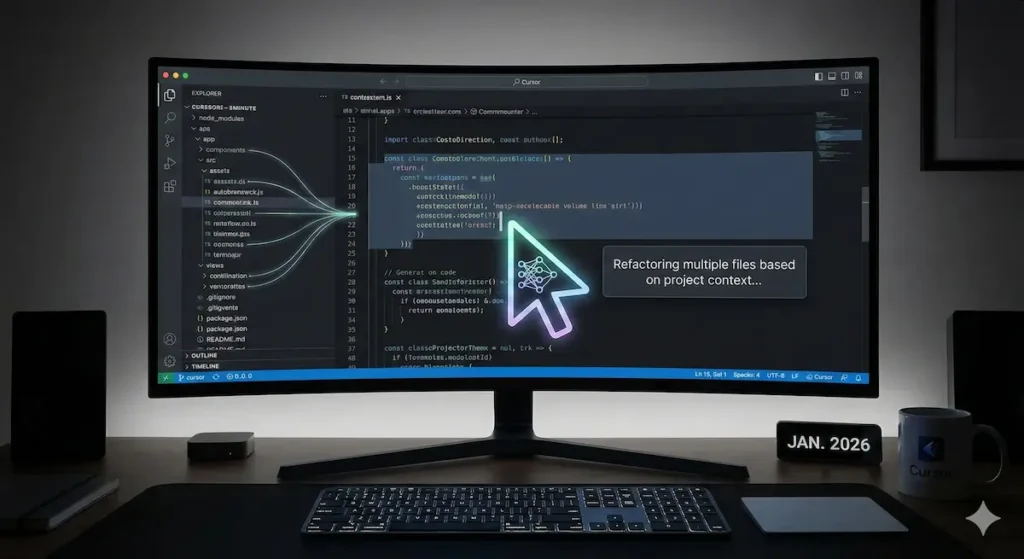
Cursor isn’t a plugin—it’s VS Code rebuilt around AI from the ground up. Every feature is designed with the assumption that AI will be writing significant portions of your code.
Why Developers Love It
According to Reddit, Cursor remains the most broadly adopted AI coding tool among individual developers and small teams in 2026.
What makes it sticky:
- Codebase awareness – Understands entire project context, not just current file
- Natural language edits – “Make this component responsive” actually works
- Multi-file changes – Refactors propagate correctly across files
- Tab completion++ – Predicts not just next line, but next function
Real Developer Feedback
From recent forum discussions:
“Cursor is what GitHub Copilot should have been. It understands what I’m trying to build, not just what I’m typing right now.”
“The multi-file awareness is game-changing for refactoring. I describe what needs to change in English, it handles 15 files correctly.”
“Best $20/month I spend on development tools. Pays for itself in the first hour.”
The Limitations
- Requires VS Code comfort – Not for terminal purists
- Can be overwhelming – Too many AI features for some workflows
- Subscription fatigue – Another $20/month adds up
- Model dependency – Quality varies with underlying model updates
Pricing
- Free tier available – Limited usage
- Pro: $20/month – Unlimited basic features
- Business: $40/user/month – Team features, priority support
GitHub Copilot: The Industry Standard That Just Works
Why It’s Still Relevant in 2026
GitHub Copilot was the first mainstream AI coding assistant (2021), and despite newer tools with flashier features, it remains the safe, proven choice for one simple reason: it just works.
What It Does Best
- Inline completion – Suggests next lines as you type
- Function generation – Write docstring, get function implementation
- Test creation – Generates test cases from existing code
- Broad language support – Works across virtually every language
- IDE integration – Seamless with VS Code, JetBrains, Neovim
Who Should Use It
- Developers who want AI assistance without changing workflow
- Teams already on GitHub infrastructure
- Students (it’s free for verified students)
- Anyone wanting the lowest friction AI coding experience
The Honest Assessment
Copilot doesn’t do autonomous agents. It doesn’t refactor entire codebases. It won’t rebuild your architecture.
What it does do is remove the tedious parts of daily coding without requiring you to think differently about your workflow.
For many developers, that’s exactly what they want.
Pricing
- Individual: $10/month (or $100/year)
- Business: $19/user/month
- Free for students with verified education status
The New Players Worth Watching in 2026
Gemini CLI
Google’s terminal-based agent for developers who prefer command-line workflows. Fast and simple, but less reliable than Claude on complex refactors. Best for small-to-medium scoped changes.
Windsurf
The coding tool reportedly acquired by OpenAI. Was using Claude models until Anthropic cut off API access on January 3, 2026. Now scrambling to secure alternative inference providers. Uncertain future.
Codeium
Real-time suggestions, free tier, multi-language support. Solid GitHub Copilot alternative for budget-conscious developers.
Amazon CodeWhisperer
Free for individuals. Specialized for AWS environments. Best if you’re building cloud infrastructure and want AI that understands your deployment context.
Tabnine
Privacy-focused with on-premise options. For developers or teams with strict data security requirements who can’t send code to external servers.
How to Actually Choose (Decision Framework)
Choose Claude Code if:
✅ You work primarily in terminal
✅ You want autonomous agents that iterate
✅ You’re comfortable reviewing AI-generated code carefully
✅ Budget allows $20-200/month
✅ You want cutting-edge capabilities
Choose Cursor if:
✅ You work in VS Code already
✅ You want AI-first IDE experience
✅ You need multi-file refactoring intelligence
✅ You’re building complex applications with lots of context
✅ $20/month is reasonable for your workflow
Choose GitHub Copilot if:
✅ You want minimal workflow disruption
✅ You’re already on GitHub ecosystem
✅ You want proven, stable tool
✅ You’re a student (free!) or budget-constrained
✅ Inline completion is enough
Choose ChatGPT/Claude Chat if:
✅ You want flexibility to jump between tasks
✅ You prefer copy-paste workflow
✅ You need multi-purpose AI (not just coding)
✅ You’re learning to code
✅ You want to test before committing to coding-specific tool
The Real Talk: Productivity Gains vs. Hype
Let’s be honest about what the data shows:
The Hype:
- “55% faster completion times!” (early Microsoft/GitHub studies)
- “AI writes 30% of our code!” (Microsoft CEO)
- “90% of code will be AI-generated!” (Anthropic CEO prediction)
The Reality:
- Bain & Company: savings described as “unremarkable”
- GitClear: ~10% more durable code since 2022
- Terminal-Bench: Even best models achieve only 60% accuracy
- MIT Tech Review: “Claimed productivity gains may be illusory”
What’s Actually True:
AI coding tools do help with:
- Boilerplate code (massive time saver)
- Test generation (from hours to minutes)
- Documentation (actually gets written now)
- Learning unfamiliar frameworks (faster onboarding)
- Removing mental blocks (when you’re stuck)
AI coding tools don’t help with:
- Architectural decisions (still need human judgment)
- Understanding business requirements (context matters)
- Debugging complex distributed systems (too many variables)
- Code review for correctness (AI doesn’t understand intent)
- Replacing junior developers (learning curve still exists)
What the Economic Data Reveals
Anthropic’s fourth Economic Index Report (January 15, 2026) provides the most comprehensive data yet on AI’s economic impact:
Task Coverage:
- 49% of jobs now use Claude for at least some tasks
- But effective coverage (weighted by success rates) reveals uneven effects
- Data entry and radiologists show disproportionate exposure
- Teachers and developers less affected than headlines suggest
Education Impact:
- Claude covers tasks averaging 14.4 years education required
- Economy average: 13.2 years
- Potential net deskilling in affected professions
Productivity Reality Check:
- Estimated US labor productivity gains: dropped from 1.8% to 1.0-1.2% when accounting for task reliability
- Wealthier nations favor work/personal use
- Lower-income countries emphasize educational applications
Translation: AI coding tools are impactful but not transformational. They’re shifting productivity at the margins, not revolutionizing the industry overnight.
The Emerging Trends That Will Define 2026
Based on developer forums, Reddit threads, and industry analysis, here are the trends worth watching:
1. Multi-Platform Consistency
The winning pattern: one tool, multiple interfaces (terminal, IDE, web, desktop). Cursor leads this trend. Developers want flexibility to work how they want.
2. Spec-Driven Development
Describe what you want → AI generates implementation → Human reviews. This workflow is becoming standard for greenfield projects.
3. Agent Coordination
Running multiple AI agents in parallel. One researches Fords, another Chevys, another Toyotas—all report back simultaneously. Faster results, higher token costs.
4. Privacy and On-Premise
As AI coding becomes mission-critical, enterprises demand on-premise or private cloud options. Tabnine and similar tools gaining traction in regulated industries.
5. Economic Model Evolution
Flat-rate subscriptions are dying. Usage-based pricing is coming. The OpenCode controversy was just the beginning of this transition.
The Question Everyone’s Asking (But Nobody Can Answer)
Will AI coding tools eliminate junior developer jobs?
The honest answer: we don’t know yet.
What we do know:
Evidence it’s happening:
- MIT Tech Review: “fewer entry-level jobs for younger workers”
- Bootcamp enrollment declining
- Companies posting fewer junior positions
- Senior developers reporting they need fewer team members
Evidence it’s not:
- GitClear: only 10% productivity increase (not 50%+)
- Stack Overflow: 65% usage but not replacing developers
- Anthropic Economic Index: developers show lower exposure than expected
- Real projects still need human judgment, domain expertise, debugging
The Likely Reality:
The role is changing, not disappearing. “Junior developer” in 2026 might mean:
- Ability to manage AI coding agents effectively
- Strong code review skills (since AI generates more code to review)
- Better understanding of architecture (since implementation details matter less)
- Domain expertise becomes more valuable (AI can’t understand business context)
The bottleneck is shifting from “can you write code” to “do you understand what needs to be built and why.”
That’s a different skill gap—and possibly a more important one.
Practical Implementation Guide
Getting Started (0-30 Days)
Week 1: Test Free Tiers
- Try GitHub Copilot free trial
- Test ChatGPT free tier for code questions
- Download Cursor, explore basic features
- Experiment with Amazon CodeWhisperer (free for individuals)
Week 2: Identify Pain Points
- Which tasks frustrate you most?
- Boilerplate → Try Copilot
- Exploration → Try Claude
- Refactoring → Try Cursor
- Terminal workflow → Try Claude Code
Week 3: Pick One, Go Deep
- Commit to single tool for two weeks
- Learn keyboard shortcuts
- Customize settings to your preferences
- Join tool-specific Discord/community
Week 4: Measure Impact
- Track time saved on specific tasks
- Note where AI helps vs. hinders
- Adjust workflow based on results
Intermediate Usage (1-6 Months)
Develop AI Collaboration Patterns
- When to accept AI suggestions verbatim
- When to use as starting point and modify
- When to ignore and write from scratch
Build Custom Workflows
- Create reusable prompts for common tasks
- Set up MCP servers (if using Claude Code)
- Configure IDE settings for optimal AI integration
Team Integration
- Share effective prompts with team
- Establish code review processes for AI-generated code
- Set guardrails (what AI can/can’t do)
Advanced Usage (6+ Months)
Multi-Tool Strategies
- Cursor for daily IDE work
- Claude Code for complex refactoring
- ChatGPT for research and exploration
- Copilot for quick completions
Autonomous Workflows
- Set up overnight agent runs (within budget)
- Use parallel agents for research tasks
- Implement automated testing pipelines
Cost Optimization
- Monitor token usage
- Identify inefficient patterns
- Adjust tool usage based on actual ROI
The Future Nobody’s Talking About
Here’s what’s coming that most articles miss:
The SaaS Apocalypse
Noah Brier (Bloomberg podcast, January 19, 2026) made a crucial point: AI coding tools are destroying traditional SaaS economics.
Why pay for Salesforce when AI can structure your sales meeting data into any format you want? Why pay for expensive enterprise software when Claude Code can build exactly what you need in an afternoon?
Lock-in strategies that worked in the pre-AI era don’t work when developers can rebuild your product in hours.
The Differentiation Problem
As capabilities converge among frontier models (Claude, GPT, Gemini), differentiation becomes harder. Anthropic’s advantage today could evaporate with OpenAI’s next release.
This means the winning coding tools won’t be those with the best model—they’ll be those with the best workflow integration, trust, and ecosystem.
The Context Window Arms Race
Every coding tool is fighting for context window space. MCP Tool Search (46.9% reduction) is just the beginning. Expect massive engineering effort around context efficiency in 2026.
The team that solves “infinite context without infinite cost” wins the AI coding market.
What You Should Actually Do
Forget the hype. Forget the fear. Here’s what actually matters:
1. Start experimenting now
Don’t wait for the “perfect” tool. Pick one and start learning. The skill isn’t using specific tool—it’s learning how to collaborate with AI effectively.
2. Focus on workflow fit, not features
The “best” tool is the one that integrates seamlessly into how you already work. Don’t force yourself into a new workflow just because it’s trendy.
3. Develop strong code review skills
As AI generates more code, your ability to review, critique, and improve that code becomes more valuable. This is the skill that separates mediocre from great developers in the AI era.
4. Understand the business context
AI can write code. It can’t understand why the business needs this feature, how it fits into strategy, or what tradeoffs matter to users. Domain expertise becomes more valuable, not less.
5. Be patient with the transition
We’re 3-4 years into mainstream AI coding. We’re still figuring this out. Tools will improve. Economics will stabilize. Workflows will crystallize. Give it time.
The Bottom Line
Claude Code is revolutionary for terminal-native developers who want autonomous agents.
Cursor is the best AI-first IDE for VS Code users working on complex projects.
GitHub Copilot remains the safe, proven, low-friction choice for most developers.
But the real answer? You’ll probably use multiple tools.
Because AI coding in 2026 isn’t about finding the one perfect tool. It’s about building a toolbox that matches your workflow, your budget, and your actual needs—not the needs that AI hype says you should have.
Start with one. Experiment. Measure results. Adjust. Repeat.
Welcome to 2026. The tools are here. The transformation is real. But it’s messier, slower, and more nuanced than the headlines suggest.
And that’s actually good news.
Useful Resources
Official Documentation:
- Claude Code: https://docs.claude.com/code
- Cursor: https://cursor.sh/docs
- GitHub Copilot: https://docs.github.com/copilot
- Gemini CLI: https://ai.google.dev/gemini-api
Research & Analysis:
- MIT Technology Review: “AI coding is now everywhere. But not everyone is convinced.”
- Anthropic Economic Index (Q4 2025): https://www.anthropic.com/economic-index
- Stack Overflow 2025 Developer Survey
- GitClear: Coding in the Age of AI (2025 Report)
Community & Discussion:
- Reddit: r/ClaudeAI, r/cursor
- Discord: Official Cursor Discord, Claude Developers
- X/Twitter: Follow @ClaudeCode, @cursor_ai, @github
Benchmarks:
- Terminal-Bench: Independent coding task accuracy testing
- LLM-Stats Coding Leaderboard: https://llm-stats.com/leaderboards/best-ai-for-coding
Video Reviews:
- Bloomberg: “Why the Tech World Is Going Crazy for Claude Code”
- Various YouTube channels with hands-on comparisons
More AI Tools & Guides for Developers (2026)
- Claude Code 2026: Why Developers Call It Alien Technology
- How to Set Up OpenClaw.ai: Complete Tutorial (2026)
- OpenClaw VPS Setup: Run Your AI Agent 24/7
- How to Build Custom MCP Servers (2026)
- ChatGPT vs Claude vs Gemini vs Perplexity (2026)
- Best AI Jobs for Beginners (2025)
Last updated: January 22, 2026. AI coding tools evolve rapidly—check official sources for latest capabilities and pricing.