

Updated May 14, 2026 | Facts verified from official Anthropic docs | ~18 min read
Most Claude users are getting a fraction of what the platform can actually do. Not because they are using it wrong — but because they have not discovered skills yet. The best Claude skills transform Claude from a general-purpose assistant into a specialised tool that works your way, every time, without you re-explaining your preferences from scratch.
Two things worth clarifying before we start. First: skills do not change your plan’s usage quota — they are token-efficient by design, which means less context waste per session, but your Pro or Max limits stay the same. Second: some skills on this list are primarily Claude Code features. If you only use claude.ai chat, a few of these require additional setup — flagged clearly for each one.
Here is a verified breakdown of the ten best Claude skills in 2026, what each one actually does, and who should install it first.
📋 Table of Contents
- What Claude Skills Actually Are
- Quick Comparison Table
- #1 — frontend-design
- #2 — deep-research
- #3 — humanizer / humanize-writing
- #4 — skill-creator
- #5 — office-hours (GStack)
- #6 — SEO audit skill
- #7 — fact-checker
- #8 — brand-guidelines / brand-voice
- #9 — find-skill
- #10 — token-optimization
- How to Install Claude Skills
- FAQs
What the Best Claude Skills Actually Are
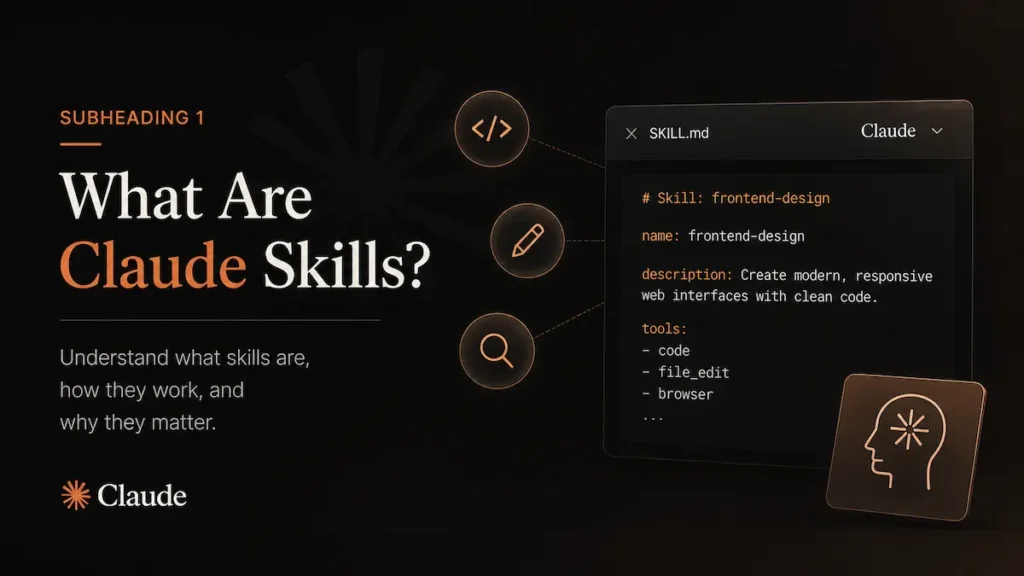
A Claude skill is a folder containing a SKILL.md file — a set of structured instructions that tells Claude how to handle a specific type of task. When you install a skill, Claude reads its name and description at session start (about 100 tokens per skill). When you give Claude a task that matches a skill’s description, it loads the full instructions automatically. When the skill is not relevant, it stays dormant and costs you nothing.
This is the key design: skills use progressive disclosure. A skill’s full content — which can be hundreds of lines — only enters your context when triggered. This makes them far more token-efficient than pasting the same instructions into every conversation manually.
Skills work across Claude Code, Claude Cowork, and claude.ai chat. Skills work across Chat, Cowork, and Claude Code — that composability is one of their key advantages over projects, which only apply within a specific project context. You can have up to five skills active simultaneously in a single conversation.
The skills ecosystem has grown fast. The Claude Code skill ecosystem has grown from a handful of official examples to over a million community contributions indexed across skills marketplaces. The open Agent Skills standard, published in December 2025, means skills you build for Claude work across Claude Code, Cursor, Codex CLI, Gemini CLI, and GitHub Copilot without modification.
Best Claude Skills in 2026: Quick Comparison
| Skill | Best For | Works In | Install |
|---|---|---|---|
| frontend-design | Building non-generic UIs | Claude Code, claude.ai | Official |
| deep-research | Multi-agent research tasks | Claude Code, Cowork | Built-in / community |
| humanize-writing | Removing AI writing patterns | All surfaces | Agensi |
| skill-creator | Building your own skills | All surfaces | Pre-installed (Cowork/Desktop) |
| office-hours (GStack) | YC-style business critique | Claude Code | GStack / community |
| seo-optimizer | SEO audit and fixes | Claude Code | Agensi |
| fact-checker | Verifying claims in content | All surfaces | Community / build your own |
| brand-voice | Consistent brand writing | All surfaces | Build your own (5 min) |
| find-skill | Discovering the right skill | Claude Code | Community |
| token-optimization | Reducing context waste | Claude Code | Community / build your own |
1. frontend-design — Best Overall Claude Skill
frontend-design277,000+ Installs
Best for: Developers and non-developers building UIs who are tired of generic AI-generated designs
This is Anthropic’s own official skill and the most-installed in the ecosystem. The problem it solves is specific: when you ask Claude to build a UI without guidance, it defaults to the statistical center of design decisions — Inter font, purple gradient, card grid, minimal animations. The result looks like every other AI-generated interface.
The official Anthropic frontend-design skill gives Claude a design system and philosophy before it touches any code. It outputs bold aesthetic choices, distinctive typography, purposeful color palettes, and animations that feel intentional rather than decorative. The difference in output quality is significant and consistent across prompts.
This skill works in both Claude Code and claude.ai. It’s one of the most widely used official skills in the ecosystem, with 117k weekly installs. Once installed, invoke it with /frontend-design and describe what you want to build./plugin install frontend-design@anthropic-agent-skills
✅ Strengths
- Dramatically improves UI output quality
- Official Anthropic skill — maintained and updated
- Works in claude.ai and Claude Code
- One of the highest install counts in the ecosystem
⚠️ Weaknesses
- Pushes toward distinctive design — may conflict with existing brand systems
- Best results on greenfield UI work, not retrofitting existing components
Verdict: The single best Claude skill to install first — especially if you build UIs regularly. The quality difference between Claude with and without this skill is immediately visible. → Install from Anthropic GitHub
2. deep-research — Best for Multi-Agent Research
deep-researchMulti-Agent
Best for: Market research, competitive analysis, due diligence — tasks that previously took days of manual research
Deep research skills work by spawning multiple subagents in parallel — one for market size, one for competitor profiling, one for pricing analysis, one for funding data — then synthesising their outputs into a structured report. The parallel execution is the key: instead of one agent working sequentially through each question, multiple agents work simultaneously, cutting research time dramatically.
Claude Code ships with a built-in /deep-research skill that runs in a forked Explore agent. The skill content becomes the task, and the agent provides read-only tools optimised for codebase exploration — results are summarised and returned to your main conversation. Community versions extend this pattern to market and business research.
⚠️ Important: Multi-agent deep research requires Claude Code or Claude Cowork — not claude.ai chat. Subagents are not available in the chat interface. If you are using claude.ai, this skill will run sequentially rather than in parallel.
# Built-in — invoke directly /deep-research [your research question]
✅ Strengths
- Parallel subagent execution — dramatically faster than sequential research
- Structured outputs with sources and confidence levels
- Handles multi-dimensional questions well
- Built into Claude Code — no install needed
⚠️ Weaknesses
- Full parallel capability requires Claude Code or Cowork
- Quality depends on query specificity — vague questions get vague answers
- Token-intensive on complex multi-agent runs
Verdict: One of the best Claude skills for business and market research. Write specific questions with clear scope — geography, audience, pricing tier — and the output quality improves significantly. → Claude Code Skills Docs
3. humanize-writing — Best for Removing AI Patterns
humanize-writingCommunity Skill
Best for: Anyone who uses AI to write emails, posts, or copy and wants the output to sound like a real person wrote it
The problem this skill addresses is real and widely experienced. AI-generated writing has recognisable patterns — opener phrases like “I hope this finds you well,” structure-level tells like starting every paragraph with a transition word, and a smoothness that paradoxically reads as artificial. Humanizer skills work by running the text through a documented set of patterns and systematically removing the signals that mark it as AI-generated.
The humanize-writing skill is among the top-installed community skills on Agensi. The concept is straightforward: these skills work from a defined list of AI writing signatures and remove them systematically — not randomly rewording, but targeting the structural patterns that flag content as machine-generated.npx skills add humanize-writing # Or search: agensi.io/skills
✅ Strengths
- Works across all Claude surfaces — chat, Cowork, Code
- Systematic pattern removal, not random rewording
- Significant improvement on cold emails and LinkedIn posts
⚠️ Weaknesses
- Multiple community versions exist with varying quality — test before committing
- Does not replace genuine voice — still requires your own perspective and specifics
- “29 patterns” is not a verified official spec
Verdict: One of the best Claude skills for writing quality. Run cold emails and LinkedIn posts through it before sending. The improvement is consistent. → Browse on Agensi
4. skill-creator — Best for Building Your Own Skills
skill-creatorOfficial Anthropic
Best for: Anyone who keeps re-explaining the same workflow to Claude — this skill builds the skill that stops you from doing that
The skill-creator is a meta-skill: it builds other skills. You describe the workflow you want to automate in plain language — the same way you would explain it to a new hire — and the skill-creator interviews you, drafts the SKILL.md, tests it, and packages it. No coding required.
Anthropic ships the Skill Creator pre-installed in Claude Desktop and Claude Cowork — it’s already there when you open the app. For Claude Code, you install it via the plugin system.
The March 2026 update added meaningful testing infrastructure. On March 3, 2026, Anthropic updated skill-creator to include real tests, scored results, blind comparisons, and an automated tool that improves the part of the skill that controls whether it loads at all — none of it requires coding. This matters because the most common reason a skill fails is a description that does not trigger reliably — the updated creator has an optimization loop that fixes this automatically.# Already installed in Claude Desktop and Cowork # In Claude Code: /plugin install skill-creator@anthropic-agent-skills
✅ Strengths
- Pre-installed in Claude Desktop and Cowork — zero setup
- Automated description optimisation loop (March 2026 update)
- No coding required — works from plain language description
- The most permanent productivity investment in the skills ecosystem
⚠️ Weaknesses
- Quality of output skill depends on quality of your workflow description
- Skills need retesting after major Claude model updates
Verdict: One of the best Claude skills for long-term productivity. Think about your three most-repeated workflows — the instructions you type at the start of every relevant conversation. Build those as skills first. → Full Skills 2.0 Guide
5. office-hours (GStack) — Best for Business Critique
office-hoursGStack / YC
Best for: Founders and builders who want brutal, structured feedback on their business — the kind a YC partner gives
Gary Tan, president of Y Combinator, open-sourced his AI setup as GStack. The office-hours skill is the centrepiece: it puts Claude in the chair of a YC partner and runs your business through the same forcing questions used in actual office hour sessions. The feedback is not encouraging. That is the point.
The approach mirrors YC’s actual framework — questions designed to surface the real constraints in a business rather than validate the founder’s existing assumptions. If you are building something, even at the idea stage, the output of this skill is more useful than most structured feedback you will get from people who are trying to be supportive.# Install GStack npx skills add garytan/gstack
✅ Strengths
- YC-style critique framework — genuinely different from generic AI feedback
- Works on ideas at any stage, not just funded startups
- Forces you to articulate assumptions you have been avoiding
- Free, open-sourced by Gary Tan directly
⚠️ Weaknesses
- Requires Claude Code — not available as a native claude.ai chat feature
- Output quality depends on how much context you provide about your business
Verdict: If you are building anything with real stakes — a product, a service, a content business — run this tonight. Provide full context about what your business actually does, not the polished version. The questions it surfaces are the ones you need to answer anyway.
6. seo-optimizer — Best for SEO Audits
seo-optimizerCommunity
Best for: Website owners, content teams, and agencies who want a structured SEO audit without a monthly retainer
SEO audit skills run a structured analysis across technical SEO, on-page optimisation, competitor comparison, and increasingly in 2026 — AI search readiness (how well a page is cited by AI Overviews and ChatGPT responses). The output is a prioritised list of fixes ranked by impact.
The video’s Nike vs Adidas demo is plausible but should be understood as illustrative. Real SEO audits require access to crawl data, traffic data, and backlink profiles that a language model does not have natively. What these skills do well is structured analysis of on-page factors, title and meta tag quality, heading structure, and content gaps — not deep technical crawl analysis.# Available on Agensi npx skills add seo-optimizer # Or search: agensi.io/skills/seo-optimizer
✅ Strengths
- Structured output — prioritised by impact, not alphabetical
- Good for on-page, title, meta, and content analysis
- Useful for AI search readiness checks (GEO)
- Much cheaper than a full SEO retainer for basic audits
⚠️ Weaknesses
- Cannot access crawl data, traffic, or backlink profiles without additional tools
- Multiple community versions — quality varies significantly
- Not a replacement for Ahrefs, SEMrush, or Screaming Frog for technical audits
Verdict: A useful complement to existing SEO tools, not a replacement. Best for quick on-page audits, content gap analysis, and AI search readiness checks on specific pages. → Browse on Agensi
7. fact-checker — Best for Verifying Claims
fact-checkerBuild Your Own
Best for: Content creators, journalists, and anyone who regularly needs to verify claims before publishing or sharing
Fact-checker skills work by extracting factual claims from a piece of text, checking each against available sources, and returning a structured verdict with confidence scores and source links. A well-built fact-checker skill can extract 10–20 individual claims from a viral post, score each one separately, and return source links for every claim — in under a minute.
The important caveat: Claude’s fact-checking capability is limited by what it can access via web search. Claims about very recent events, private data, or non-public information cannot be verified. The skill is best understood as a structured prompt engineering approach — it makes Claude’s fact-checking more systematic and consistent, not magically accurate on all claims.
⚠️ Note: No single “official” fact-checker skill exists with a definitive install path. Several community versions exist. The most reliable approach for most users is to build your own with skill-creator, describing your specific fact-checking workflow.
✅ Strengths
- Systematic claim extraction — better than asking Claude to “check this”
- Structured output with per-claim scoring
- Works on all Claude surfaces
- Genuinely useful for WhatsApp forwards, viral posts, health claims
⚠️ Weaknesses
- Limited by Claude’s web search access for recent or private information
- No single authoritative community skill — build your own for reliability
- Cannot verify claims that require access to paywalled or private sources
Verdict: Genuinely useful for the use cases the video describes — viral social posts, health claims, forwarded messages. Build your own with skill-creator for the most reliable results. Use it as a first filter, not a final verdict.
8. brand-voice — Best for Consistent Brand Writing
brand-voiceBuild Your Own
Best for: Founders, marketers, content creators, and agencies managing multiple brand voices
Brand voice skills encode your writing style, tone, vocabulary, and rules into a persistent skill that loads whenever you are writing something. Instead of explaining your brand voice at the start of every conversation, you explain it once when building the skill and never again. Three months after building a brand voice skill, one user reported not having explained their writing style to Claude once since — the same audience, tone, and list of things it should never say, automatically applied every time.
This is one of the best Claude skills to build yourself rather than install from a marketplace. Your brand voice is unique to you — a template from a marketplace will need significant customisation anyway. The skill-creator makes building it straightforward: describe your brand in a paragraph, list your rules, and the creator generates the SKILL.md.
✅ Strengths
- Zero re-prompting once built — permanent productivity gain
- Works across all Claude surfaces
- Especially valuable for agencies managing multiple client brands
- Takes 20–30 minutes to build well
⚠️ Weaknesses
- Requires initial time investment to define brand rules clearly
- Needs updating when brand evolves
- Generic marketplace versions require significant customisation
Verdict: Build this yourself with skill-creator. One paragraph describing your brand voice, a list of things you never want Claude to write, and five example sentences in your style. 25 minutes of setup eliminates the same re-explanation from every future conversation.
9. find-skill — Best for Navigating the Skills Ecosystem
find-skillCommunity
Best for: Users who have installed many skills and want Claude to automatically select the right one for a given task
As the skills ecosystem grows, finding the right skill for a task becomes its own problem. Find-skill addresses this by letting you describe what you want in plain language and having Claude match it to an installed skill and invoke it. The video’s description of this as “the gateway to every other skill” is accurate for users with large skill libraries.
For most users starting out, this skill is less immediately valuable than the others on this list. Its value scales with how many skills you have installed — with five skills, you probably know which one to invoke. With fifty, a router becomes genuinely useful.npx skills add find-skill # Or browse: agensi.io/skills
✅ Strengths
- Removes friction for large skill libraries
- Useful for teams sharing a skills setup
- Natural language skill invocation
⚠️ Weaknesses
- Less valuable with small skill libraries
- Primarily a Claude Code feature
- Dependent on quality of installed skills’ descriptions
Verdict: Install this after you have ten or more skills. Before that, the overhead of routing is not worth it. For power users with large libraries, it is genuinely useful.
10. token-optimization — Best for Managing Context Costs
token-optimizationClaude Code
Best for: Claude Code API users on pay-per-token billing, or subscription users hitting usage limits on complex research tasks
Token optimization skills help you process large amounts of information more efficiently by structuring how Claude reads and summarises sources. Processing the same research data with structured summarisation before analysis is meaningfully more token-efficient than dumping raw sources into context — and the output quality is often better too.
The honest framing: in Claude Code, skills only load their actual content when explicitly invoked — they don’t auto-load just because they’re installed. This means the skill list itself consumes minimal tokens, while detailed skill content stays dormant until needed. Token optimisation is primarily about good habits — subagents, structured summarisation, context management — not a magic skill that cuts your bill in half.
⚠️ Subscription users: Token optimisation directly affects API cost for pay-per-token users. For Pro/Max subscribers, it affects how quickly you drain your usage quota in a session. It does not change your plan’s daily or monthly limits.
✅ Strengths
- Real impact for API users on pay-per-token billing
- Useful for long research sessions approaching context limits
- Structured summarisation improves output quality alongside efficiency
⚠️ Weaknesses
- Does not “double your limit” — that claim is false
- Most benefit for Claude Code API users, not casual claude.ai users
- Good prompting habits achieve most of the benefit without a skill
Verdict: Useful for API users watching token costs. Less critical for subscription users. The most impactful token optimisation is using subagents and structured summarisation — habits that apply with or without a dedicated skill. → Token Optimisation Deep Dive
How to Install the Best Claude Skills
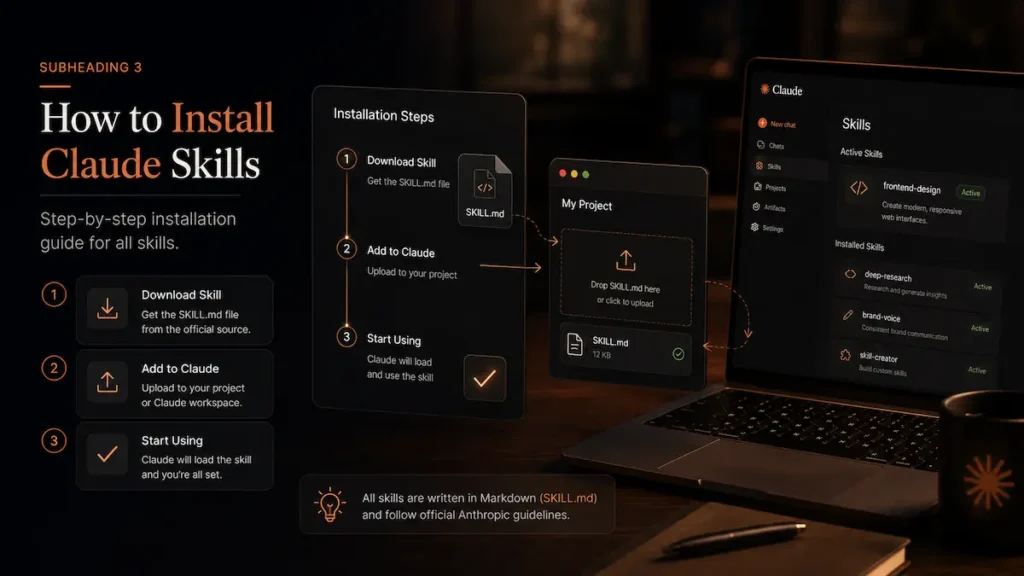
Installation method depends on which Claude surface you are using. The three paths:
Claude Desktop / Claude Cowork (Easiest)
The Skill Creator is pre-installed. Open Claude Desktop → Settings → Customize → Skills. Official Anthropic skills appear in the skills panel. For community skills, you can install from GitHub or the Claude plugin marketplace.
Claude Code (Most Powerful)
Claude Code uses the /plugin command inside a session. Open any Claude Code session, type /plugin, navigate to the Discover tab, and install. For community skills: npx skills add [skill-name] or the one-liner from Agensi.# Official Anthropic skills via plugin marketplace /plugin install frontend-design@anthropic-agent-skills /plugin install skill-creator@anthropic-agent-skills # Community skills via npx npx skills add humanize-writing npx skills add seo-optimizer # From Agensi (security-scanned) curl -sL https://www.agensi.io/api/install/SKILL_SLUG | tar xz -C ~/.claude/skills/
claude.ai Chat
Skills in claude.ai are managed through Settings → Customize → Skills. The marketplace is accessible directly from the interface. Community SKILL.md files can be uploaded manually. Note that subagent-dependent skills (deep-research with parallel agents, for example) run sequentially in chat rather than in parallel.
For discovering available skills: skills.sh is Vercel’s searchable directory across the ecosystem. Agensi runs security scanning on listed skills. Anthropic’s official GitHub has the maintained official collection.
The Best Claude Skills Strategy: Where to Start
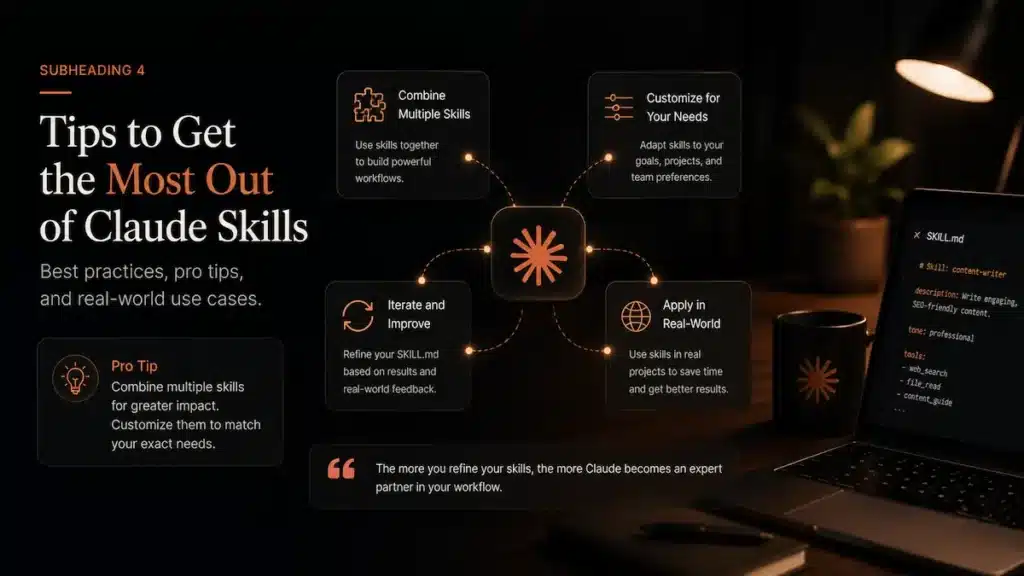
The video presents these skills as a ranked list to install in order. A more useful framing: install by category based on what you actually do.
If you build UIs or web apps, install frontend-design first — the improvement is immediate and visible. If you write regularly and use AI for drafts, build a brand-voice skill with skill-creator — 25 minutes of setup, permanent benefit. If you are a founder or building something commercial, run office-hours on your idea before you spend significant time or money on it. If you do research regularly, build or install a deep-research skill and learn to write tight research briefs.
The skills that deliver the most consistent value are the ones that encode your personal workflow preferences — your writing style, your code review standards, your report format. These are the skills nobody else has built for you, and they are also the ones that stay relevant as Claude’s underlying models improve. Build those first.
Frequently Asked Questions
Do Claude skills work in the free claude.ai plan?
Skills are available across Claude plans, but some skills depend on features only available in paid plans (like extended context or subagents). The Skill Creator and most single-agent skills work on free and paid plans. Multi-agent skills like deep-research require Claude Code or Cowork, which need a paid plan. Is it true that Claude skills double your usage limit?
No — this claim is false. Skills are token-efficient (they only load when relevant), which reduces unnecessary token consumption compared to pasting long instructions manually. But they do not change your plan’s usage quota. Your Pro, Max, or Team plan limits remain the same regardless of which skills you install. What is the difference between a Claude skill and a custom prompt?
A custom prompt loads every time you start a conversation. A skill loads only when Claude determines it is relevant to your current task — making it far more token-efficient for specialised capabilities. Skills also support supporting files, scripts, and references that a simple prompt cannot include. Do the best Claude skills work outside Claude Code?
Most skills work across Claude Code, Claude Cowork, and claude.ai chat. The skills that require subagent capabilities (parallel deep-research, blind A/B comparison) are limited to Claude Code and Cowork. Single-agent skills like frontend-design, brand-voice, humanizer, and fact-checker work in all surfaces. How many Claude skills can I have installed at once?
You can install as many as you want, but Claude manages a skill description budget of roughly 1% of the context window. At the default setting, this accommodates around 15–25 skills before descriptions start getting truncated. You can raise this budget in settings, or manage it by keeping skill descriptions concise and keyword-dense.
Related Articles
- AI Agents Best AI Agent Tools in 2026: The Complete Guide A detailed look at autonomous AI agent platforms — from task-running agents to full workflow orchestration systems.
- Explainer Claude Code 2026: Why Developers Call It Alien Technology What makes Claude Code different from every other AI coding tool — and why the developer community reacted the way it did.
- Deep Comparison ChatGPT vs Claude vs Gemini vs Perplexity in 2026 Side-by-side comparison of the four biggest AI models for real-world tasks — writing, research, coding, and daily use.
- AI Coding 8 Best AI Coding Agents in 2026: Tested and Compared Cursor, Claude Code, Windsurf, Devin, GitHub Copilot — real-world testing on what actually matters in production development.
- Automation Best AI Automation Tools in 2026: Brutally Honest Reviews n8n, Make, Zapier, Lindy and 6 more — tested on real business workflows with verified pricing and honest assessments.
- Claude Guide What Is Claude Cowork? A Beginner’s Guide for 2026 Claude Cowork explained for non-developers — what it can do, how it differs from Claude chat, and how to get started.
Facts verified from Anthropic official documentation, Claude Code docs, and community sources as of May 14, 2026. Install counts sourced from verified community reports. All external links go to official sources. Have a correction? Use the contact form.