

Last Updated: 9th May 2026 | Reading Time: 9 minutes
Most people are using ChatGPT wrong.
Not “wrong” as in it doesn’t work—but wrong as in they’re getting 10% of the value while putting in 100% of the effort.
If you’re still typing one-line prompts like “write a blog about AI” and hoping for magic, you’re missing the entire point of what ChatGPT became in 2026.
Here’s what changed: ChatGPT isn’t a chatbot anymore. It’s a workspace. A second brain. A tool you build entire workflows around—if you know how.
This guide strips away the hype and shows you exactly how to use ChatGPT in 2026 for real work. No “10 mind-blowing tricks.” No clickbait. Just the systematic approach that separates casual users from people who save 10+ hours weekly.
What you’ll learn:
- The 5 core features most users completely ignore (including one that replaces 3 other tools)
- Why your prompts probably suck (and the 3-part framework that fixes them)
- How to use ChatGPT for actual work, not just “cool demos”
- The mental model shift that makes everything click
- What ChatGPT still can’t do (so you don’t waste time)
Let’s start with what most guides won’t tell you.
What ChatGPT Actually Is in 2026 (Not What You’ve Been Told)
ChatGPT in 2026 is a multimodal AI reasoning engine developed by OpenAI.
Translation: It doesn’t just chat. It thinks, analyzes, creates, and increasingly—executes.
What ChatGPT Can Process:
✓ Text – Up to hundreds of pages in context
✓ Voice – Real-time conversations with natural interruptions
✓ Images – Screenshots, photos, diagrams, UI mockups
✓ Documents – PDFs, spreadsheets, presentations, code files
✓ Web Data – Live search, research, current events
✓ Memory – Persistent context across conversations
✓ Actions – Through agents and integrations (beta)
What This Actually Means:
Instead of Googling → Reading → Summarizing → Writing → Editing → Revising…
You upload → Ask → Refine → Done.
The difference isn’t speed. It’s cognitive load.
ChatGPT handles the grunt work so you can focus on decisions, creativity, and judgment—the things that actually matter.
The Brutal Truth: Why Most People Get Terrible Results
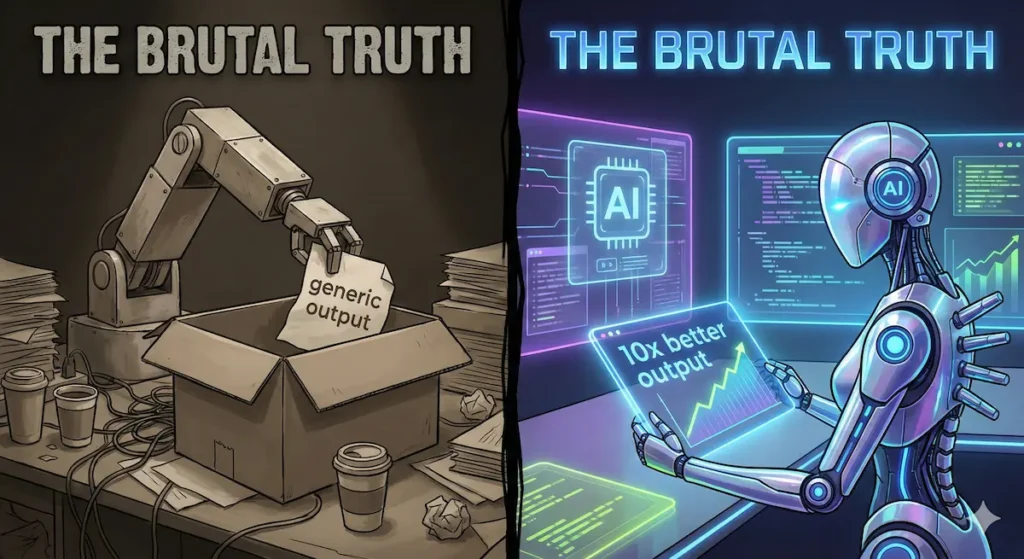
The #1 mistake: Treating ChatGPT like Google.
You ask a question. It answers. You move on.
That’s not how professionals use it.
Power users treat ChatGPT like a junior analyst:
- They provide context
- They iterate on responses
- They ask for alternatives
- They challenge assumptions
- They refine until it’s actually good
Here’s the same task, done two ways:
❌ Amateur Approach:
Prompt: “Write a blog post about productivity”
Result: Generic 500-word fluff that sounds like every other AI blog post on the internet.
Time wasted: 5 minutes to realize it’s unusable.
✅ Professional Approach:
Prompt 1: “I run an AI blog targeting professionals who want practical productivity gains. Write a 1,200-word article explaining how to actually use ChatGPT for daily work. Tone: Direct, no hype, specific examples. Avoid generic advice.”
Prompt 2: “The intro is too bland. Rewrite it to hook professionals who are skeptical of AI productivity claims.”
Prompt 3: “Add a real example of someone using this for content planning.”
Prompt 4: “Cut 200 words without losing substance.”
Result: Publication-ready article that sounds human and provides actual value.
Time invested: 15 minutes for 10x better output.
See the difference? Iteration is the skill.
The 5 ChatGPT Features You’re Probably Not Using (But Should Be)
Most users stick to basic chat. That’s like buying a Tesla and only using it in parking lots.
Here are the features that actually change how you work:
1. Projects – Stop Losing Context
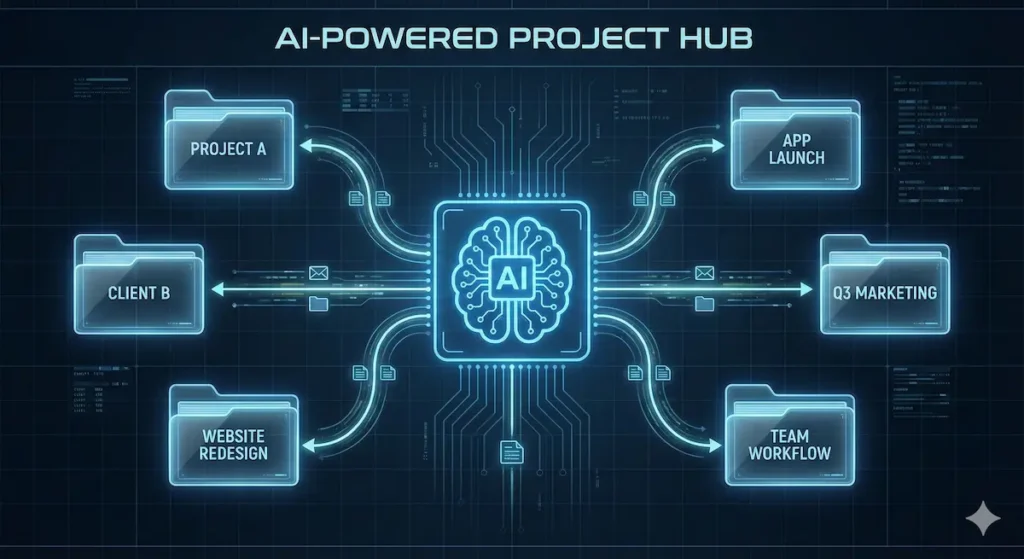
What it is: Workspaces that group related conversations, files, and custom instructions.
Why it matters: You’re not starting from scratch every conversation.
Real use case:
- Project: “aiinsider.in Content”
- All blog research conversations
- SEO keyword files
- Content calendar
- Writing style guidelines
Every conversation in this project already knows your audience, tone, and goals. No context repetition.
Setup:
- Click “Projects” in sidebar
- Create project
- Add relevant files
- Set project-specific instructions
- All conversations here share context
Time saved: 20-30 minutes daily (no context re-explaining)
2. Voice Mode – Think Out Loud

What it is: Real-time voice conversations where you can interrupt, clarify, and explore ideas naturally.
Why it matters: Some people think better speaking than typing. ChatGPT finally supports that.
When to use it:
- Brainstorming blog topics
- Working through complex problems
- Learning new concepts
- Planning projects
- Morning ideation sessions
How I actually use it:
- Walking to work: “Help me think through this article structure…”
- Commuting: “Explain React hooks like I’m a backend developer…”
- Cooking: “Walk me through this recipe, but with substitutions for…”
Pro tip: Voice mode excels at exploratory thinking. Use it before writing, not for writing.
3. Canvas – Actual Document Editing
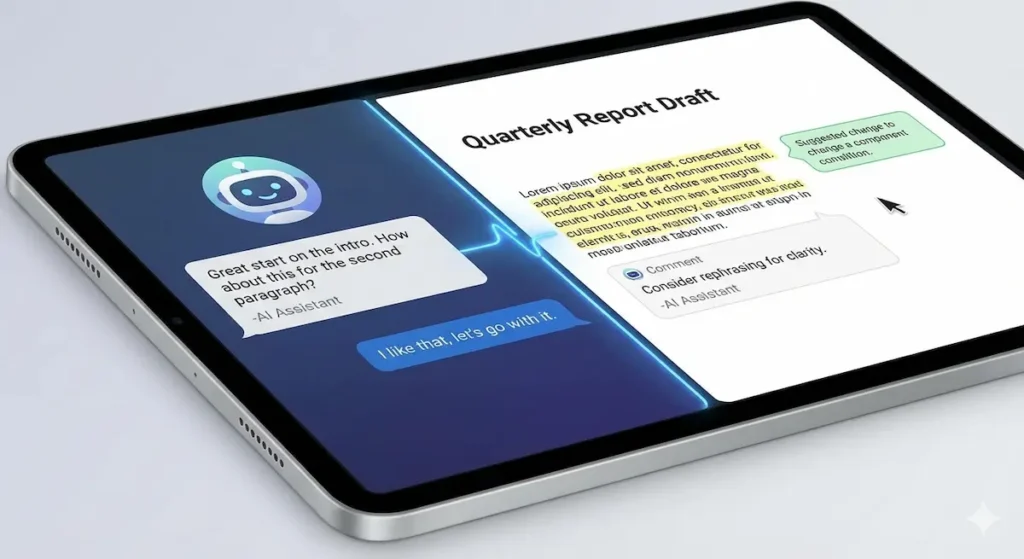
What it is: A side-by-side document editor where ChatGPT helps you write and refine in real-time.
Why it matters: Chat-based writing doesn’t scale. Canvas does.
How it works:
- Left side: Conversation with ChatGPT
- Right side: Your document with inline suggestions
- You control what changes get accepted
Real workflow:
- Start draft in Canvas
- “Make the intro more compelling”
- “Cut this to 1,000 words without losing key points”
- “Add transition between sections 2 and 3”
- “Check for repeated phrases”
When to use it:
- Blog posts and articles
- Reports and documentation
- Scripts and presentations
- Long-form emails
- Any writing over 500 words
Time saved: 40-50% reduction in editing cycles
4. Image & File Analysis – Stop Retyping Everything
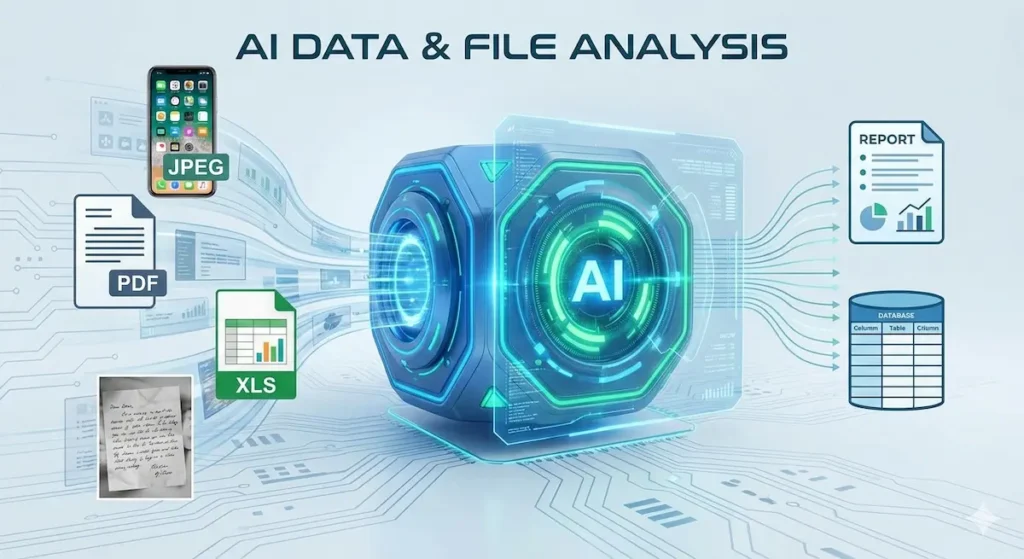
What it is: Upload anything. ChatGPT reads it, analyzes it, explains it, or transforms it.
What you can upload:
- Screenshots of error messages
- Excel spreadsheets
- PDFs and documents
- Photos of whiteboards
- UI mockups and designs
- Handwritten notes
- Charts and graphs
Real examples:
Scenario 1: Debugging
- Screenshot of error → “What’s causing this and how do I fix it?”
- Instant diagnosis with code solution
Scenario 2: Data Analysis
- Upload sales spreadsheet → “Which products are underperforming and why?”
- Analysis + recommendations in 60 seconds
Scenario 3: Design Feedback
- Upload website mockup → “Critique this design for a SaaS landing page”
- Detailed UX analysis you’d normally pay for
Scenario 4: Meeting Notes
- Photo of whiteboard → “Turn this into structured meeting notes”
- Clean, organized notes without retyping
This feature alone replaces: Google Lens, transcription services, basic data analysis tools, and hours of manual work.
5. Memory – Stop Repeating Yourself
What it is: ChatGPT remembers details about you, your work, and your preferences across all conversations.
What it remembers:
- Your role and industry
- Your writing style preferences
- Current projects
- Technical specifications you frequently use
- People and companies you work with
- Your workflows and processes
Example:
First conversation: “I’m building a Django app for inventory management. I prefer PostgreSQL and API-first architecture.”
Two weeks later, new conversation: “Add user authentication to my app”
ChatGPT automatically knows:
- You mean the Django inventory app
- Use PostgreSQL
- Design API-first
- No explanation needed
Privacy control:
- View all memories
- Delete specific memories
- Clear everything
- Use “Temporary Chat” for private topics
Time saved: 5-10 minutes per conversation (no context setup)
How to Write Prompts That Actually Work
Most prompt guides over-complicate this. Here’s the framework:
The 3-Part Prompt Structure:
1. WHO (Role/Context) “You’re a senior technical writer who specializes in developer documentation…”
2. WHAT (Task + Constraints) “Write a 1,000-word tutorial explaining how to use ChatGPT Projects. Beginner-friendly, practical examples, no hype.”
3. HOW (Format + Style) “Structure: Problem → Solution → Example → Next Steps. Tone: Conversational but professional. Include 2-3 specific use cases.”
Example:
Bad Prompt: “Explain machine learning”
Good Prompt: “I’m a marketing manager with no technical background. Explain machine learning in practical terms—specifically how it’s being used in content personalization. Use real examples from companies like Netflix or Spotify. Keep it under 500 words.”
The Iteration Pattern:
- First prompt: Get 70% there
- Second prompt: “The tone is too technical. Rewrite for a general audience.”
- Third prompt: “Add a real-world example of this in action.”
- Fourth prompt: “Cut 20% without losing key points.”
Professional outputs require 2-4 iterations. That’s normal.
What ChatGPT Is Actually Good For (Real Use Cases)
Let’s be specific. Here’s what ChatGPT legitimately saves time on:
Writing & Content
- Blog posts – Research → Outline → Draft → Edit (4 hours → 1 hour)
- Emails – Professional, concise, properly toned (15 min → 2 min)
- Documentation – Clear, structured, comprehensive (hours → minutes)
- Scripts – Video, podcast, presentation content
- Social media – Captions, threads, post ideas
Analysis & Research
- Data analysis – Upload spreadsheet → Get insights
- Document review – Upload PDF → Get summary + key points
- Competitive research – “Analyze these 3 competitor websites”
- Literature review – Synthesize multiple sources
- Trend analysis – “What’s changing in [industry]?”
Learning & Skill Development
- Personalized explanations – Matched to your background
- Step-by-step tutorials – Practical, specific to your project
- Code review – Bugs, optimization, best practices
- Language learning – Conversation practice, corrections
- Interview prep – Mock interviews with feedback
Planning & Strategy
- Project breakdown – Complex task → Actionable steps
- Decision frameworks – “Help me evaluate these 3 options…”
- Brainstorming – Idea generation + validation
- Scenario planning – “What if…” analysis
- Process design – Workflow optimization
Automation (via Agents)
- Web research – Multi-step information gathering
- Data collection – Structured information from multiple sources
- Report generation – Regular summaries and updates
- Monitoring – Track changes, prices, content
The pattern: Anything involving thinking, writing, analyzing, or planning—ChatGPT fits naturally.
What ChatGPT Still Can’t Do (Save Yourself the Frustration)
Being realistic about limitations prevents wasted time:
❌ Real-Time Information Without Web Search
ChatGPT’s training ends in early 2025. For current events, stock prices, or today’s weather—enable web search or use a different tool.
❌ Perfectly Accurate Every Time
Hallucinations are rarer in 2026 but not gone. For critical facts:
- Ask for sources
- Cross-verify important claims
- Use it for drafting, not final authority
❌ Complex Math Without Verification
It can do math, but double-check anything important. Use a calculator for precision work.
❌ Legal or Medical Advice
ChatGPT will refuse, and it should. Consult professionals for regulated fields.
❌ Personal Data or Proprietary Information
Don’t upload confidential files. Use Temporary Chat for sensitive topics.
❌ Creative Work That Requires True Originality
ChatGPT accelerates creation but won’t replace human creativity, judgment, or taste.
The Mental Model That Makes Everything Click
Stop thinking: “What can ChatGPT do?”
Start thinking: “What cognitive tasks can I delegate?”
Examples:
Instead of: “Can ChatGPT write my blog?”
Think: “ChatGPT can draft, I’ll refine and add my perspective.”
Instead of: “Can ChatGPT analyze this data?”
Think: “ChatGPT can spot patterns, I’ll decide what matters.”
Instead of: “Can ChatGPT plan my project?”
Think: “ChatGPT can structure the approach, I’ll make the strategic calls.”
You stay in charge of:
- Strategy and direction
- Judgment and decisions
- Creativity and taste
- Verification and quality control
ChatGPT handles:
- First drafts
- Research and synthesis
- Pattern recognition
- Tedious formatting
- Context organization
This division of labor is where the magic happens.
How to Get Started (The Right Way)
Week 1: Foundation
Day 1-2: Create account, try basic chat
- Ask questions about your work
- Get comfortable with the interface
- Test voice mode
Day 3-4: Set up your first Project
- Create project for your main work area
- Add relevant files
- Write custom instructions
Day 5-7: Experiment with Canvas
- Write one article or document
- Practice iterating on responses
- Learn the editing workflow
Week 2: Integration
Day 8-10: Upload files and images
- Test with screenshots
- Analyze a spreadsheet
- Process a PDF
Day 11-12: Use voice mode daily
- Morning planning sessions
- Commute learning
- Evening reflection
Day 13-14: Build your first workflow
- Document your process
- Identify repeatable tasks
- Create project templates
Month 2-3: Mastery
- Create projects for major areas
- Build prompt templates
- Integrate with other tools
- Track time savings
- Refine your workflows
Goal: By month 3, ChatGPT should feel like a natural extension of how you work—not a tool you “remember to use.”
Common Mistakes (and How to Fix Them)
Mistake 1: Accepting the First Response
Fix: Always ask “Can you improve this?” or “Give me 3 alternative approaches.”
Mistake 2: Being Too Vague
Fix: Add context, constraints, and desired format. Specificity = Quality.
Mistake 3: Not Using Projects
Fix: Create projects. This single feature 10x’s the value of ChatGPT.
Mistake 4: Forgetting to Iterate
Fix: Plan for 2-4 refinement prompts. That’s normal for good work.
Mistake 5: Ignoring Voice Mode
Fix: Try it for one week. It changes how you brainstorm.
Mistake 6: Treating It Like Google
Fix: It’s not search. It’s a thinking partner. Ask it to reason, not just answer.
Advanced Techniques (For When You’re Ready)
Chain-of-Thought Prompting
“Let’s think through this step by step. First, identify the problem. Second, list possible solutions. Third, evaluate each. Then recommend.”
Few-Shot Learning
“Here are 2 examples of the style I want: [Example 1] [Example 2] Now write one for [new topic]”
Constraint-Based Prompting
“Write this but:
- Under 500 words
- For non-technical audience
- No jargon
- Include 2 specific examples
- End with actionable next step”
Meta-Prompting
“Review my prompt and suggest how to improve it for better results.”
Adversarial Review
“Now critique everything you just wrote. What’s weak? What’s missing? What assumptions might be wrong?”
Frequently Asked Questions
Q: Is ChatGPT free?
A: Yes, there’s a free plan. Paid plans ($20/month) unlock better models, higher limits, and advanced features like Projects and Agents.
Q: Can ChatGPT access the internet?
A: Yes, when web search is enabled. It can find current information and cite sources.
Q: Does ChatGPT remember past conversations?
A: Within a conversation, yes. Across conversations, only if Memory is enabled (and you can manage what it remembers).
Q: How accurate is ChatGPT?
A: Very capable but not flawless. Verify important information. Use it for thinking and drafting, not blind trust.
Q: Can I use ChatGPT for work?
A: Yes. Paid plans allow commercial use. Enterprise plans add security and admin controls.
Q: Will ChatGPT replace my job?
A: It will change how you work. People who learn to work with AI will outperform people who don’t. That’s the actual risk.
Q: What’s the best ChatGPT model to use?
A:For most tasks, use the default model (currently GPT-5.5 Instant as of May 2026). Use faster models for simple tasks. The tool will recommend models when needed.
Q: Can ChatGPT write code?
A: Yes, and well. It’s particularly good at explaining, debugging, and refactoring. Less good at complex architecture decisions.
Q: Is my data private?
A: Paid plans aren’t used for training. Free plans may be. Don’t upload sensitive data. Use Temporary Chat for private topics.
Q: How do I get better results?
A: Provide context. Iterate. Use Projects. That’s 90% of the skill.
Real Workflow Example: How I Used ChatGPT to Write This
To make this concrete, here’s the actual process for writing this guide:
Project Setup:
- Created “aiinsider Content” Project
- Uploaded SEO keyword research
- Added writing style guidelines
- Set audience parameters
Research Phase:
- “What are the most common ChatGPT beginner mistakes?”
- “What features do power users rely on most?”
- “Search for recent ChatGPT updates in May 2026”
Outline Phase:
- “Create an outline for a beginner-to-advanced ChatGPT guide”
- “Reorganize this – put practical stuff before theory”
- “Add a section on common mistakes”
Writing Phase:
- Used Canvas for the draft
- Iterated section by section
- “Make this less generic”
- “Add a specific example here”
- “Cut 300 words without losing substance”
Refinement Phase:
- “Review for clarity – flag anything confusing”
- “Check for repetition”
- “Improve transitions between sections”
SEO Phase:
- “Optimize for ‘how to use ChatGPT 2026′”
- “Add FAQ section with featured snippet targets”
- “Suggest meta description”
Time breakdown:
- Research: 20 minutes
- Outlining: 10 minutes
- First draft: 40 minutes
- Refinement: 30 minutes
- SEO/formatting: 15 minutes
Total: ~2 hours for a comprehensive 3,000+ word guide
Without ChatGPT: 6-8 hours, easily.
The Bottom Line
ChatGPT in 2026 is not about prompts. It’s about how you integrate it into actual work.
The same tool makes one person slightly faster and another person radically more effective.
The difference:
- Projects vs. single chats
- Iteration vs. one-shot prompts
- Files uploaded vs. context pasted
- Voice for thinking, Canvas for writing
- Systematic workflows vs. random usage
Start here:
- Create your first Project today
- Upload one relevant file
- Have one conversation using iteration
- Try voice mode once
Then commit to one month of daily use.
After 30 days, ChatGPT stops being a tool you “try” and becomes a tool you depend on.
That’s when it gets indispensable.
What to Read Next
More ChatGPT Guides for 2026
- ChatGPT Features 2026: Every New Update Explained (May 2026)
- ChatGPT vs Claude vs Gemini vs Perplexity (2026): Tested All 4
- 8 Hidden ChatGPT Features in 2026 Most Students Never Use
- 7 ChatGPT Features That Save 20+ Hours Every Week
- How to Use ChatGPT in 2026: Complete Guide for Students
- ChatGPT Projects in 2026: How to Save 100+ Prompts You Use Daily
- ChatGPT Canvas in 2026: How I Edit 5,000-Word Articles in 10 Minutes
If you want to master how to use ChatGPT in 2026 beyond the basics, explore our complete ChatGPT tutorial series covering advanced techniques, real workflows, and systematic approaches to AI-powered productivity.
Found this helpful? Most people read once and forget. The ones who actually improve bookmark it, try one thing today, and iterate from there.
Your move.